

Connection messages
Wording about no network, a timeout or a page that will not load. Fix the connection first, then reopen the app.

Deposit and stake £20 - get 100 free spins on Fishin' Frenzy Even Bigger Fish
Install, sign in and fix the app
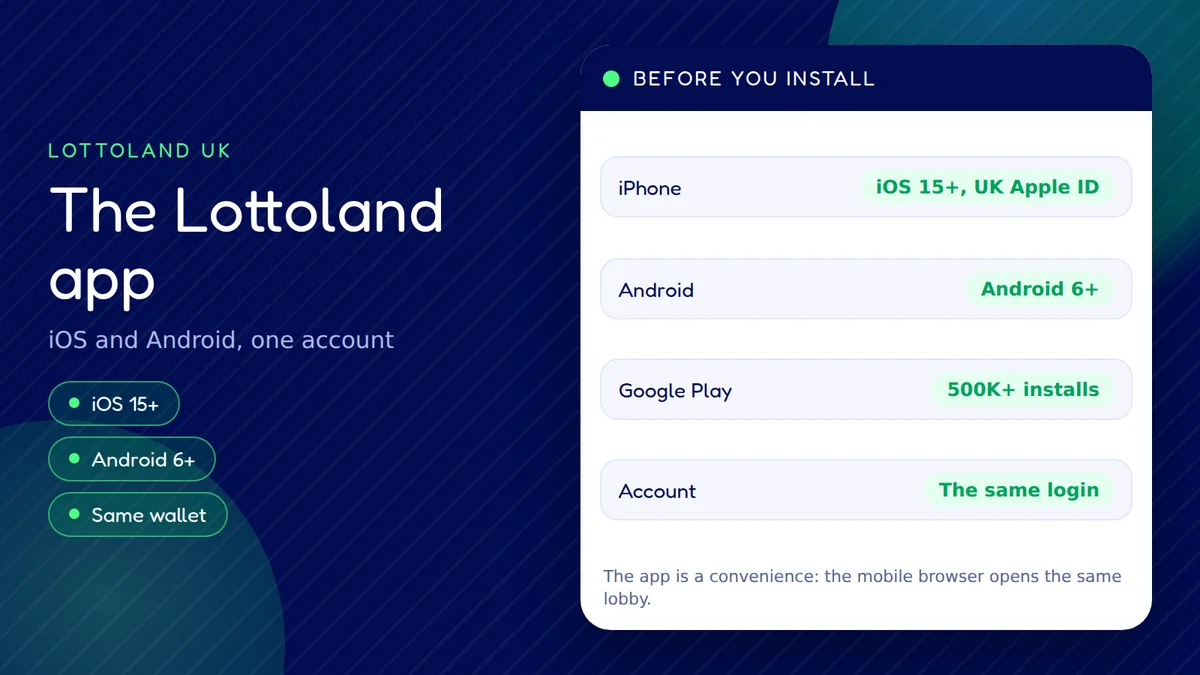
The Lottoland app runs on iPhone (iOS 15 or later, UK Apple ID) and Android (6 or later), uses the same account and cashier as the website, and has 24/7 chat. Here is how to check it when it misbehaves.
Yes. Lottoland has an iPhone app and an Android app, both signing in to the same account as the website. This page was last checked on 15 October 2026.
The ratings are the figures Lottoland itself quotes for the two stores, not a score from us. Install from the official listings only: the App Store page for iPhone, or the Google Play page for Android. If you have not opened an account yet, you can register with Lottoland first and sign in to the app afterwards.
Most app problems come from the phone, the connection or an out-of-date version, so work through these five steps in order and stop as soon as the app behaves.
Open any web page in your browser. If it is slow, switch between Wi-Fi and mobile data and try the app again.
Swipe the app away from your recent apps and start it fresh. This clears a frozen screen more often than anything else.
Open the store listing and look for an Update button. An old build can stop loading once the site changes behind it.
The app needs iOS 15 or later, or Android 6 or later. An older phone may install nothing or stall on start-up.
Sign in through your phone browser. If the site works and the app does not, the fault is on the app side; if neither works, use the live check below.
We cannot see Lottoland's servers, so we do not claim to know whether it is up. The panel below tests what you can see yourself: your connection, whether this site answers, the round-trip time and whether your browser keeps cookies.
Press Run the check - everything happens in your browser, nothing is sent anywhere.
A green result here means your phone and this page are talking normally. If the app still fails, the cause is more likely the app version, the phone or your account. The status page explains how to read each line in more detail.
Lottoland does not publish a numbered list of app error codes, so we do not print one. What you can sort is the kind of message on the screen, because each kind points to a different fix.
Wording about no network, a timeout or a page that will not load. Fix the connection first, then reopen the app.
Wrong details, a locked account or a verification request. A password reset or a check on the details you registered with usually settles it.
A declined deposit or a withdrawal that stays pending. The method must be in your own name, and credit cards are not accepted.
A generic "something went wrong". Note the time, take a screenshot and send it to chat, which runs 24/7.
Our errors guide goes through the site-side messages in the same way, and the Lottoland Help Centre is the place to look for an official explanation.
We cannot say how Lottoland settles a particular bet after a crash, and the answer depends on whether the bet reached its servers before the app stopped. What you can do is find out which case you are in before you do anything else.
Repeating a stake can place it twice. Wait a minute and leave the app alone.
Reopen the app, or sign in through the mobile site, and check your account history and balance for the bet or spin.
If the stake left your balance but you cannot see the result, send the approximate time and game to chat and ask what was recorded.
If you disagree with the answer, complain to Lottoland first and then to the independent adjudicator IBAS.
Lottoland's terms decide what happens to an interrupted bet, and we do not summarise them as a rule of thumb. Read the terms on the official site, or see our terms page, and keep your screenshots.
Find the line that looks like your problem and start with the fix beside it.
| Symptom | Likely cause | Try first |
|---|---|---|
| Will not install | Old system | Check OS version |
| iPhone store refuses | Wrong region | UK Apple ID |
| Stuck on start | Old build | Update the app |
| Cannot sign in | Details or lock | Reset password |
| Deposit declined | Method rules | Own-name debit |
| Slow or freezing | Weak signal | Switch network |
Swipe the table sideways on a phone to see every column.
Deposits work from £1 with Visa Debit, Mastercard Debit, Apple Pay, Trustly, MuchBetter and Pay by Bank, with Paysafecard from £2. The cashier and its limits are the same in the app as on the site; the payments guide has the full list. If none of these fixes help, open the chat from the app or the website and describe what you see.
The log in the status panel above is a record of the checks you start in this browser tab, with the time of each run. It is not a history of Lottoland incidents, and we do not publish anyone else's.
The app is a convenience, not a requirement, and a few kinds of player will be better served elsewhere on the same account.
If you would rather not install anything, the website covers the same account, the same games lobby and the same cashier. Our games page shows what the lobby contains, and the responsible gambling page explains the limits and time-outs you can set from either place.
We do not quote player reviews. In general, people comparing betting and casino apps tend to weigh the same handful of points, and they are worth checking for yourself before you rely on the app.
How quickly you get into your account, and whether your phone's own fingerprint or face unlock can be used. Check what your device offers.
Alerts about draws are useful to some people and noise to others. You can allow or block them in your phone settings.
Storage matters on older devices. The store listing shows the current download size before you install.
How often the app is refreshed. The Android listing shows 23 July 2026 as its last update, so keep automatic updates on.
Yes. On iPhone it is called Lottoland UK: Casino & Lottery (App Store id1474057957), and on Android the package is co.uk.lottoland.app. Download only from the store listings, not from a link sent in a message.
The iPhone app needs iOS 15 or later and a UK Apple ID. The Android app needs Android 6 or later. Phones running anything older cannot use the current app, but the mobile website still works in a browser.
No. There is one Lottoland account for the website and the app. Your login, balance, cashier methods and limits are the same on both, so you can switch between them freely.
Start with the basics: check your connection, close and reopen the app, update it and confirm your phone meets the minimum system version. If it still fails, try the mobile site and the status check on this page, then contact chat.
No phone line is published for support. Chat is available 24 hours a day, 7 days a week, and the Help Centre has written guides. Complaints go to Lottoland first and then to the adjudicator IBAS.
Lottoland quotes 4.6 for the App Store and 4.53 for Google Play. These are the brand's own figures from its apps page, so treat them as a guide only and read the current listing yourself.
Yes. The cashier and limits are shared with the site. Deposits start from £1 on most methods, and you can set a deposit limit or a time-out of 24 hours, 1 week or 1 month. Lowering a limit is instant, raising one takes 24 hours.
No. It cannot see Lottoland's servers. The status panel tests your own connection and this site only, and its log keeps just the checks you run in this tab.
What to do next
One account, one cashier and 24/7 chat on iPhone, Android or the mobile site. New customers who deposit £20 and stake £20 get 100 free spins on Fishin' Frenzy Even Bigger Fish, so you can create your account with Lottoland UK and claim the spins
18+. T&Cs apply, please gamble responsibly.